

Don’t Replace Your Laptop.
Just Replace the View.
A cracked screen feels like a disaster, but it’s often the single best investment you can make to extend your computer’s life. Here is everything you need to know about professional laptop screen replacement in Johannesburg.
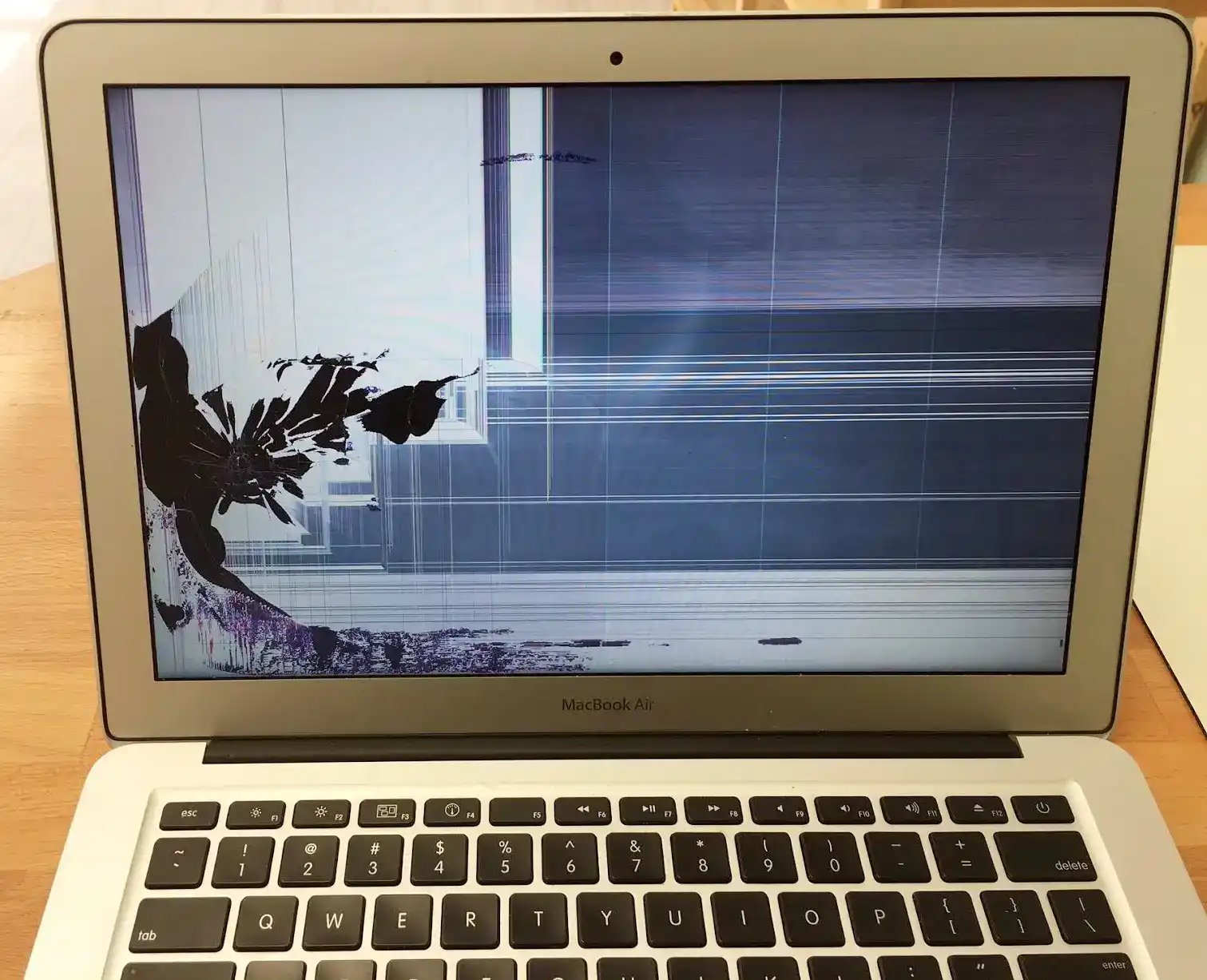
It happens in an instant. You close the lid on a forgotten pen. Your bag slips off your shoulder. Or maybe, you just opened it one morning to find a kaleidoscope of colored lines where your spreadsheet used to be.
In Johannesburg’s high-pressure environment, a broken laptop screen is more than an inconvenience—it is a full-stop to your productivity. Whether you are a student at Wits, a creative in Maboneng, or an executive in Sandton, your screen is your window to the world. When it shatters, your workflow shatters with it.
But here is the truth that big retailers don’t want you to know: A broken screen does not mean a broken computer.
In 95% of cases, the underlying hardware (Motherboard, CPU, Data) is perfectly fine. Replacing the screen is a standard, safe, and highly effective procedure—if done by a professional. This guide will walk you through the technical reality of laptop screen repair, why panel quality matters, and how to choose the right service provider.
1. Diagnosis: Is it the Screen, the Cable, or the Graphics Card?
Before you book a repair, you need to be sure the screen is actually the problem. Sometimes, a blank display is caused by a failing GPU (Graphics Processing Unit) or a loose Flex Cable.
The External Monitor Test
The fastest way to diagnose your issue is to plug your laptop into an external monitor or TV via HDMI.
- Scenario A: The external monitor works perfectly, but your laptop screen is black, cracked, or flickering.
Verdict: You need a screen replacement. - Scenario B: Both screens show the same artifacts (lines, distortion) or both are black.
Verdict: This is likely a motherboard or GPU failure. Visit our Logic Board Repair page. - Scenario C: The screen flickers when you move the lid.
Verdict: This is likely a damaged LCD Flex Cable or loose connection.
2. Not All Screens Are Created Equal: Understanding Display Tech
When you search for “laptop screen repair near me,” you will find wildly different quotes. This is usually because of the quality of the panel being used. Laptops today use a variety of sophisticated display technologies.
The Resolution Factor (HD vs FHD vs 4K)
Budget laptops often use HD (1366×768) panels. These are inexpensive to replace. However, most modern business laptops (like the Dell XPS or HP EliteBook) use FHD (1920×1080) or even 4K (3840×2160) panels.
Why this matters: You cannot simply put a cheap HD screen onto a laptop designed for FHD. The connectors (30-pin vs 40-pin) are often different, and the graphics driver may not recognize it. At Fix My Gadget, we match the exact part number of your original screen to ensure your resolution remains razor-sharp.
Matte vs. Glossy Finishes
Glossy screens (often found on MacBooks and Touchscreen laptops) offer vibrant colors but suffer from glare. Matte screens (common on Lenovo ThinkPads) have an anti-glare coating perfect for office work. When booking your repair, we can often offer you a choice between the two, allowing you to customize your viewing experience.
3. The Touchscreen Challenge: Glass vs. Assembly
If you have a touchscreen laptop (like a Lenovo Yoga or HP Spectre x360), repair is more complex. These screens consist of two fused layers:
- The Digitizer: The outer glass that senses your finger.
- The LCD/OLED: The inner panel that creates the image.
In modern ultra-thin laptops, these layers are bonded with optically clear adhesive. If the glass cracks, you usually cannot replace just the glass without specialized factory equipment. Doing so often leads to “dead zones” where touch doesn’t work, or dust trapped between the layers.
Our Approach: For touchscreen devices, we replace the Full Display Assembly. This ensures your touch inputs remain precise and the structural integrity of the lid is maintained.
4. Brand-Specific Repair Expertise
Every manufacturer builds their laptops differently. A generic “one-size-fits-all” approach does not work.
Dell (XPS, Inspiron, Latitude)
Dell screens often have very thin bezels (InfinityEdge). Removing them requires heat and precision prying tools to avoid damaging the webcam assembly hidden in the thin frame.
HP (Pavilion, Spectre, Envy)
HP often uses strong adhesive tapes behind the panel. If not removed correctly, the aluminum lid can be bent. We use specific pull-tab techniques for safe removal.
Lenovo (ThinkPad, IdeaPad)
ThinkPads are rugged, but their screens often have specific “whitelists” in the BIOS. We use compatible FRU (Field Replaceable Unit) panels to ensure brightness controls work correctly.
Apple (MacBook Air/Pro)
Apple screens are proprietary. We specialize in MacBook Screen Repair, preserving True Tone and Auto-Brightness features.
5. Why DIY Screen Replacement is a Risk
YouTube tutorials make it look easy: “Just unscrew the bezel and plug in the new screen.” However, they often skip the critical safety steps.
The Battery Danger: On almost all modern laptops, the battery is internal. If you do not disconnect the battery before unplugging the screen video cable, you will cause a short circuit. This often blows the Backlight Fuse or the GPU on the motherboard.
We see this weekly: A customer tries to save money by doing a DIY screen swap, blows the motherboard, and turns a simple screen repair into a major logic board repair job.
Don’t risk your motherboard to save on labor. Trust a professional with ESD (Electrostatic Discharge) protection and proper tooling.
6. The Fix My Gadget Quality Guarantee
A screen is something you look at for 8+ hours a day. You cannot afford imperfections. Cheap aftermarket screens often suffer from:
- Dead Pixels: Tiny black or white dots that never change color.
- Backlight Bleed: Bright patches of light leaking from the edges.
- Yellowing: Poor color reproduction that looks warm or “dirty.”
At Fix My Gadget, we use A+ Grade panels—the same quality as the original manufacturer. Furthermore, we offer a solid warranty. If your screen develops dead pixels or flickers within our warranty period, we replace it. No questions asked.
7. Our “Zero-Hassle” Repair Process
We know you are busy. That’s why we have streamlined our computer repair process for Johannesburg professionals.
Quote via WhatsApp
Send us your laptop model number (found on the sticker on the bottom). We check stock and give you an instant quote.
Free Collection
If you are in Sandton, Rosebank, or surrounds, we can collect your device. Or, bring it to our workshop for faster turnaround.
Installation & Calibration
We install the panel, test for dead pixels, check brightness levels, and ensure the bezel is perfectly resealed.
Ready for Work
You get your laptop back, looking brand new. Your data, files, and settings are exactly where you left them.
8. Frequently Asked Questions
Will I lose my data during a screen repair? +
No. Screen repair is a hardware procedure that does not affect your hard drive or SSD. Your data remains safe. However, we always recommend a backup for peace of mind.
How long does it take? +
For standard screens that we have in stock, the repair takes 1–2 hours. For specialized 4K or Touch screens, we may need 24 hours to source the exact part from our warehouse.
Is it worth repairing an older laptop screen? +
Usually, yes. A screen repair (R1,500 – R2,500) is much cheaper than a new decent laptop (R12,000+). If your laptop is fast enough for your needs, repairing the screen extends its life significantly.
Your View Deserves an Upgrade
Stop working through the cracks. Get a crystal-clear, professional display today. Send us your model number for an instant quote.