

The Engineer’s Guide to iPhone 16 Motherboard & Body Repairs.
From infinite boot loops and completely dead logic boards to shattered titanium frames. Discover the advanced micro-soldering secrets needed to revive Apple’s most advanced smartphones.

The iPhone 16 and iPhone 16 Pro represent the pinnacle of mobile computing, housing the incredibly dense A18 and A18 Pro silicon chips. But with unparalleled performance comes unparalleled complexity. When these devices fail, they don’t just glitch; they fail in highly technical, incredibly frustrating ways.
You are likely reading this because you are experiencing one of three nightmares: your device is completely dead and unresponsive, your phone is stuck in an infinite loop of Apple logos, or your device suffered a catastrophic drop that compromised its physical integrity. If you’ve visited an authorized service center, you were probably handed a replacement quote that rivals the cost of a down payment on a car.
But the authorized route is rarely the only route. Authorized technicians are explicitly trained to swap parts, not to perform micro-level diagnostics. At Fix My Gadget, we approach these modern marvels not as sealed black boxes, but as intricate electrical grids that can be diagnosed, mapped, and repaired.
This comprehensive guide will break down the exact science behind how we repair iphone 16 not turning on scenarios, decode the hidden diagnostic logs causing an iphone 16 pro restarting endlessly, and execute structural iphone broken body repair that restores factory-level durability.
Scenario 1: The Completely Dead Device
How we repair an iPhone 16 not turning on
A phone that shows absolutely no signs of life—no screen glow, no vibration when toggling the mute switch, and no chime when plugged in—is almost never suffering from a dead battery. In the repair industry, we call this a “No Power, No Boot” condition.
To diagnose this, independent micro-soldering experts don’t just guess. We use a USB digital ammeter. When you plug a healthy iPhone 16 into a USB-C ammeter, you should see the phone negotiate power: it will draw 5 volts at around 0.1 amps, then jump to 0.4 amps, before the “handshake” completes and it pulls a healthy 9V to 15V at 1.5 to 2.5 amps (fast charging).
If we plug in your “dead” iPhone 16 and the ammeter reads a flat 0.00A, we know the USB-C controller IC or the charging port itself is destroyed. If it reads a steady, low 0.06A, we instantly know there is a severe short circuit on the motherboard’s primary power line, known as VDD_MAIN.
Understanding VDD_MAIN and the Sandwich Board
Since the iPhone X, Apple has used a “sandwich board” design to save space. They literally take two logic boards, stack them on top of each other, and solder them together with an interposer ring containing hundreds of microscopic connection pads. The top board houses the CPU (A18), RAM, and storage. The bottom board handles cellular signals (Baseband) and Wi-Fi.
VDD_MAIN is the primary electrical artery that feeds both of these boards. If a single microscopic capacitor on this line cracks due to a drop or a slight power surge, it bridges the positive line to the negative ground. Electricity always takes the path of least resistance. Instead of powering the A18 chip, the electricity dumps directly into the ground, causing the power management chip to instantly cut all power to prevent a fire. The phone appears completely dead.
To fix this, we must:
- Disassemble the device and remove the logic board.
- Place the logic board on a specialized pre-heater to safely melt the solder holding the two halves together (separating the sandwich).
- Inject a low voltage (e.g., 1.5V) directly into the
VDD_MAINline. - Use a FLIR thermal imaging camera to spot which of the hundreds of tiny capacitors lights up with heat.
- Remove the shorted capacitor under a microscope, replace it, and reball (re-solder) the two logic boards back together perfectly.
This is why an authorized store will tell you your data is gone forever—they do not split logic boards. But with proper micro-soldering, your phone wakes up with all your photos and passwords perfectly intact.
Scenario 2: The Three-Minute Boot Loop
Decoding an iPhone 16 Pro restarting endlessly
There is a very specific, highly documented phenomenon in modern Apple devices: the 3-minute reboot. Your phone turns on, works perfectly fine, but exactly three minutes later, the screen goes black, the Apple logo appears, and it restarts. It will do this continuously, making the phone unusable.
Users often assume this is a catastrophic motherboard failure or a corrupted iOS update. 99% of the time, it is neither. It is a safety feature triggered by a failed thermal sensor.
The iPhone 16 Pro is packed with dozens of microscopic thermometers located on various flex cables throughout the device (the charging port, the power button, the new Camera Control button, the wireless charging coil, and the screen). The logic board’s System Management Controller constantly polls these sensors, asking, “What is your temperature?”
If a sensor is damaged—usually due to a microscopic drop of water entering the speaker grille, or a heavy drop tearing a flex cable—it fails to respond. When the “brain” doesn’t get a temperature reading within 180 seconds, it assumes the phone is overheating and forces an emergency reboot to save the processor.
How to Read the Panic Log
We don’t have to guess which sensor is broken. The iPhone literally writes a report right before it crashes. If your phone stays on long enough, you can navigate to Settings > Privacy & Security > Analytics & Improvements > Analytics Data. Scroll down to files starting with panic-full.
Inside that log of gibberish code, there is a specific line that tells us exactly what part to replace. Look for the “Missing Sensor(s)” string:
In the example above, mic1 is the thermal sensor located on the lower charging port flex assembly. By simply replacing the charging port flex cable, the logic board receives its temperature reading, the panic halts, and the infinite boot loop is cured.
Common iPhone 16 panic codes include Prs0 (often related to the barometer or lower charge port), TG0B (battery thermal sensor data line), and new sensors associated with the capacitive Action and Capture buttons. Diagnosing these requires deep technical knowledge of Apple’s hardware ecosystems.
Scenario 3: Structural Catastrophe
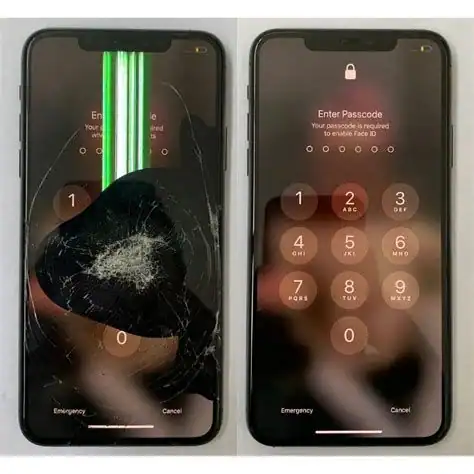
The truth about iPhone broken body repair
While internal logic board failures are complex, the physical exterior of the iPhone 16 series presents its own set of intense engineering challenges. The iPhone 16 utilizes an aerospace-grade aluminum enclosure, while the 16 Pro models use a Grade 5 Titanium band thermo-mechanically bonded to an inner aluminum substructure.
Many users view a shattered back glass or a bent frame as purely cosmetic damage, slapping a thick case over it and ignoring the issue. As technicians, we view structural damage as a ticking time bomb for the internal components.
The Danger of a Compromised Frame
When an iPhone’s frame is bent—even by a millimeter—it exerts constant, unnatural torque on the logic board screwed inside it. Remember the “sandwich board” we discussed earlier? That constant pressure eventually fractures the microscopic solder joints on the interposer ring connecting the two boards. This leads to sudden loss of Cellular Service (Baseband failure), loss of Wi-Fi, or audio IC failure.
Furthermore, the back glass is not just a decorative panel. It is a critical component of the phone’s thermal dissipation system (the A18 chip runs incredibly hot and relies on the chassis as a heatsink) and houses the MagSafe wireless charging array.
Modern Back Glass Replacement
Historically, replacing the back glass of an iPhone required high-powered laser machines to burn off the industrial epoxy Apple used, creating hazardous fumes and risking damage to the wireless charging coil.
Thankfully, with the iPhone 15 and continuing into the iPhone 16 architectures, Apple redesigned the chassis to allow the back glass to be removed independently of the main frame. However, this is still not an amateur repair.
- The new back glass assemblies are married to the logic board via serial numbers. If replaced improperly without transferring original ICs or using system configuration tools, features like wireless charging may be disabled.
- The delicate microphone and LiDAR scanner arrays (on Pro models) are mounted perilously close to the glass edges and are easily destroyed by a slip of a pry tool.
- Properly restoring the IP68 water and dust resistance requires applying factory-spec adhesive seals and using a calibrated heated press to ensure a watertight bond.
A professional iphone broken body repair doesn’t just make the phone look pretty again; it re-establishes the environmental seal that protects the logic board from moisture, and relieves the torque on the motherboard that will eventually cause a critical hardware failure similar to what we see in MacBooks.
Expertise You Can Trust.
Whether your iPhone 16 is stuck in a boot loop, completely unresponsive, or structurally compromised, we have the micro-soldering schematics, thermal cameras, and engineering knowledge to revive it.
Johannesburg South’s Advanced Logic Board Specialists