

Sticky Keys, Ghost Typing & Total Failure: The Keyboard Repair Blueprint.
From shattered Apple butterfly mechanisms to liquid-damaged Windows ultrabooks. Discover the engineering reality behind professional keyboard restoration.

Your laptop’s keyboard is the primary interface between human thought and digital execution. When it fails, your expensive piece of technology instantly transforms into an incredibly frustrating paperweight. Whether you are dealing with a single key that requires you to mash it with the force of a hammer, a device that endlessly types “zzzzzzz” on its own, or a keyboard that has gone entirely dark after a tragic encounter with a cup of coffee, the result is the same: absolute productivity paralysis.
Historically, swapping out a keyboard was a five-minute job. You would flip the laptop over, remove two screws marked with a tiny keyboard icon, pop off a plastic bezel, and drop in a new unit. Those days are long gone. The relentless pursuit of millimeter-thin laptops has fundamentally changed how these machines are manufactured. Today, a laptop keyboard replacement is rarely a simple swap; it is often a major surgical procedure involving the complete teardown of the computer.
Nowhere is this more evident than in the Apple ecosystem. A modern Macbook keyboard replacement is widely considered one of the most tedious and complex physical repairs in the industry, requiring the extraction of logic boards, the delicate handling of volatile lithium-ion batteries, and the destruction of factory-installed aluminum rivets.
In this comprehensive guide, we will tear down the exact micro-mechanics of why your keyboard failed, explain the dramatic difference between repairing a modern MacBook versus a PC laptop, and walk you through the precise, highly technical process we use at Fix My Gadget to restore your device to factory-perfect typing conditions.
The Anatomy of Failure: Why Keyboards Break
To understand why a laptop keyboard replacement becomes necessary, you must first understand the microscopic architecture hiding beneath the keycaps. Almost all modern laptops, regardless of the brand, utilize a variation of the membrane switch mechanism, stabilized by a mechanical hinge.
Beneath the visible plastic keycap sits a tiny rubber dome. Beneath that dome are three microscopic layers of plastic film. The top film has conductive silver traces printed on it. The bottom film also has conductive traces. The middle layer is a spacer with a tiny hole right below the key. When you press a key, the rubber dome collapses, pushing the top conductive layer through the hole in the spacer to touch the bottom layer. This completes an electrical circuit, sending a signal to the keyboard controller chip on your logic board.
There are three primary ways this delicate system fails:
- Mechanical Hinge Failure (The Scissor Mechanism): Surrounding the rubber dome is a microscopic plastic hinge, usually in an “X” shape (a scissor switch). These hinges are made of fragile plastics less than a millimeter thick. If dust, crumbs, or grit gets trapped under the keycap, the user applies uneven pressure. Over time, the microscopic plastic pins snap. The keycap will sit loosely, pop off entirely, or depress unevenly.
- Conductive Trace Oxidation (Liquid Damage): This is the most catastrophic failure. If liquid (especially acidic or sugary liquids like coffee, tea, or soda) seeps between those three plastic layers, capillary action sucks the liquid deep into the matrix. The liquid bridges the conductive traces, creating a permanent electrical short. This is why a water-damaged laptop might suddenly start typing infinite strings of characters, or why the power button (which is often routed through the keyboard matrix) fails entirely.
- Rubber Dome Degradation: Over millions of keystrokes, the silicone rubber dome loses its elasticity. Instead of springing back, it remains depressed, resulting in a key that feels “mushy” or fails to register without extreme force.
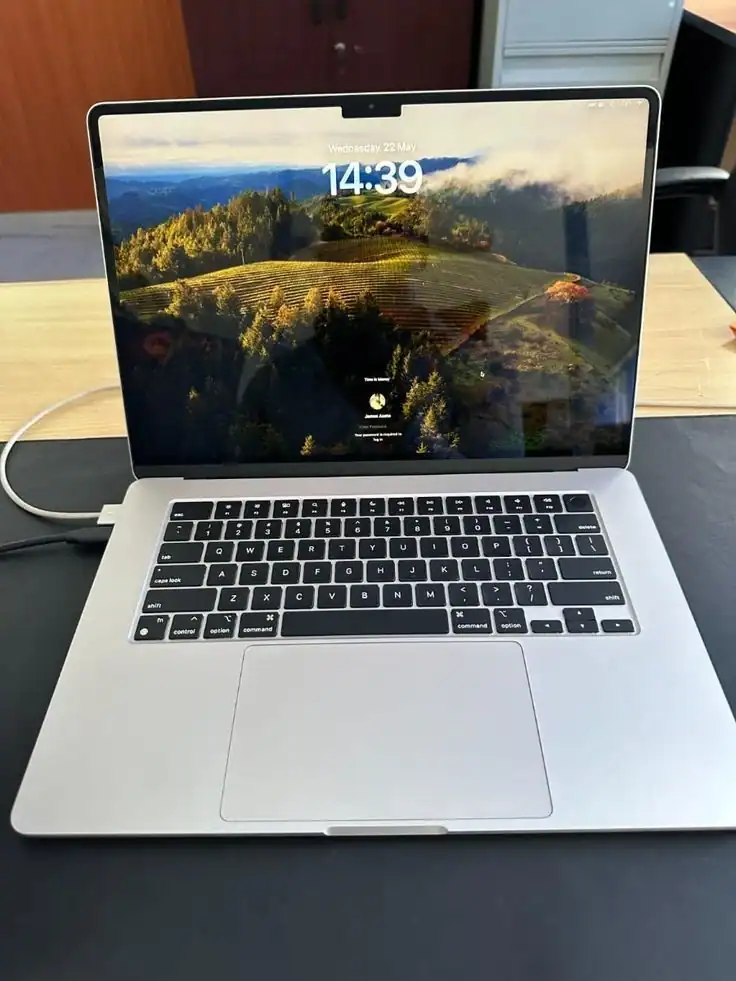
The Butterfly Era: A MacBook Nightmare
Understanding the complexity of a MacBook keyboard replacement
You cannot discuss keyboard repair without addressing the elephant in the room: Apple’s Butterfly Keyboard. Introduced in the 12-inch MacBook in 2015 and spreading to the MacBook Pro and Air lineup until 2019, this keyboard was an engineering marvel that turned into a reliability disaster.
To make the laptops thinner, Apple replaced the traditional “X” scissor switch with a “V” shaped butterfly mechanism. It reduced key travel to a mere 0.5 millimeters. However, the clearance tolerances were so tight that a single grain of sand or a spec of dust could jam the mechanism entirely. A jammed butterfly switch couldn’t be cleaned out easily; the keycaps were highly fragile and prone to breaking if pried off. This led to massive class-action lawsuits and widespread user frustration.
The Top-Case Assembly Problem
When a butterfly keyboard (or even the newer, vastly improved Magic Keyboards on Apple Silicon M1/M2/M3 Macs) fails, you face a massive hurdle. Apple does not manufacture the keyboard as an independent, modular part. In the Apple design philosophy, the keyboard is permanently riveted into the aluminum “top case”—the entire metal chassis that houses your trackpad, speakers, battery, and logic board.
If you take a MacBook to an Apple Authorized Service Provider for a dead “Spacebar,” they will not replace the spacebar. They will quote you for an entire Top Case Assembly. This means you are paying to replace a perfectly good aluminum chassis, a perfectly good battery (which is glued to the top case), and perfectly good speakers, just to fix a $20 keyboard membrane. This turns a simple component failure into an exorbitant, wallet-draining repair.
The Engineering Reality of Independent Repair
At independent micro-level repair facilities like Fix My Gadget, we refuse to force clients to pay for a whole new chassis when they just need a Macbook keyboard replacement. However, extracting *just* the keyboard from a modern Mac or high-end Windows ultrabook is a grueling process that requires specialized tools and immense patience.
The 100-Rivet Extraction Process
To secure the keyboard tightly enough that it doesn’t flex when you type, manufacturers punch the keyboard into the aluminum frame and use dozens of microscopic metal or plastic rivets to seal it permanently. To remove the broken keyboard, a technician must physically shear off or drill out 50 to 100 individual rivets. Once the new keyboard is laid in, we must tap new microscopic threads into the aluminum frame and install 50 to 100 custom keyboard screws to lock the new unit down with factory-level tension.
Before we even reach the rivets, we must perform a complete device teardown. The logic board (containing all your data) must be safely removed and isolated on an anti-static mat. The cooling fans, display hinges, I/O boards, and microscopic ribbon cables must be detached.
Most critically, we must work around the battery. In MacBooks and premium Windows laptops like the Dell XPS or Razer Blade, the volatile lithium-ion battery cells are glued aggressively directly over the keyboard shield. One slip of a pry tool, or using too much heat to soften the battery adhesive, can puncture a cell and cause a catastrophic thermal runaway (a severe fire).
PC Laptops: The Wild West of Keyboard Designs
If you are searching for a laptop keyboard replacement for a Windows machine, your experience will vary wildly depending on the brand and model you own. The PC market is divided into two distinct design philosophies:
1. The Traditional “Bottom-Up” Design (The Easy Swap)
If you own a Lenovo ThinkPad (famed for their industry-leading keyboards), a chunky gaming laptop, or an older, thicker enterprise machine, you are in luck. These laptops are designed with repairability in mind. The keyboard is usually a self-contained module that drops in from the top. We simply remove a few retention screws from the bottom of the laptop, pop off the plastic bezel, disconnect a single ZIF (Zero Insertion Force) ribbon cable, and drop the new keyboard in. This repair is fast, inexpensive, and carries very little risk to the logic board.
2. The “Ultrabook” Top-Case Design (The Mac Clone)
If you own a modern HP Spectre, Dell XPS, Microsoft Surface Laptop, or ASUS ZenBook, the manufacturers have largely copied Apple’s homework. They prioritize thinness over modularity. In these machines, the keyboard is riveted or plastic-welded into the palm rest. The repair process is identical to the grueling MacBook teardown described above: motherboard out, battery out, rivets destroyed, and new screws installed.
The Liquid Damage Domino Effect
A staggering percentage of the keyboard replacements we perform at Fix My Gadget are the direct result of liquid spills. When a spill occurs, human instinct dictates that you wipe off the top of the keys, turn the laptop upside down, and perhaps employ the completely debunked myth of putting it in rice.
Here is the reality of fluid dynamics inside your laptop: the keyboard acts as a porous barrier. Beneath the keyboard is a very thin, perforated metal or plastic shield. Beneath that shield sits your logic board, pulsing with electrical currents.
When you spill liquid, the keyboard matrix almost immediately shorts out. If the computer was on, the electrical current rushing through the keyboard membrane meets the conductive liquid, causing instant electrolysis. The silver traces literally burn away and turn into green copper oxide (corrosion) within hours.
Diagnostic Isolation is Crucial: When a client brings in a liquid-damaged laptop where the keyboard is acting erratically (or not working at all), we cannot simply quote for a new keyboard. We must isolate the logic board. We disconnect the keyboard ribbon cable entirely and plug in a test USB keyboard.
If the USB keyboard works perfectly, the logic board’s SMC (System Management Controller) or SuperIO chip is unharmed, and a standard keyboard replacement will cure the machine. However, if the external keyboard *also* behaves erratically, we know the liquid breached the keyboard shield, dripped onto the logic board, and shorted the keyboard controller IC. At that point, the repair escalates from a mechanical keyboard swap to complex micro-soldering and logic board repair.
Stop Fighting Your Keyboard.
Whether you are battling the infamous Apple butterfly mechanism, dealing with the aftermath of a coffee spill, or missing keycaps, our technicians have the micro-screws, rivet extractors, and logic board expertise to restore your machine’s tactile perfection.
Component-Level Specialists in Johannesburg South