

Why Your Broken Laptop Keyboard Needs Local Expertise, Not a DIY Disaster.
From shattered scissor switches to catastrophic liquid spills. Discover why typing “laptop repairs near me” is the smartest first step to saving your device, your data, and your sanity.
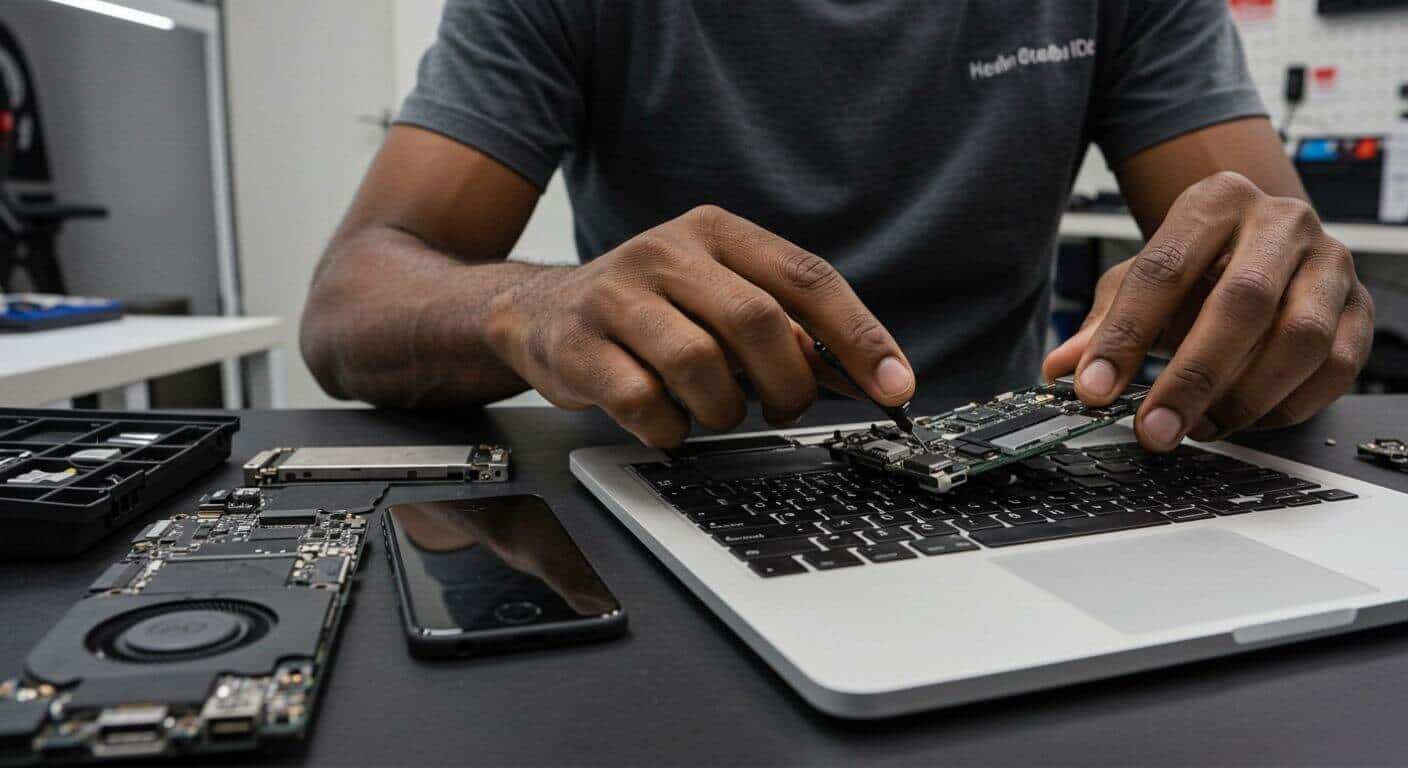
Modern laptop keyboards are integrated directly into the chassis, requiring complete system disassembly.
We live in a world dictated by keystrokes. Whether you are drafting a critical business proposal, coding a new application, finishing a university thesis at 2 AM, or simply navigating a high-stakes competitive gaming match, your keyboard is your primary connection to the digital realm. It is the steering wheel of your computer. And just like a car, when the steering wheel stops responding, you are completely stranded.
When a single key stops working, or worse, an entire row of letters goes dead, panic inevitably sets in. The immediate instinct for most modern users is to grab their smartphone and frantically type “laptop repairs near me” into Google. This instinct is entirely correct. While the internet is flooded with DIY repair videos that make swapping a keyboard look like a leisurely five-minute craft project, the engineering reality of modern laptops tells a vastly different, much more dangerous story.
In this comprehensive guide, we are going to dive deep into the anatomy of keyboard failures. We will explore exactly what happens under the hood when you spill your morning coffee, why gaming laptops require entirely different repair protocols than standard business machines, and most importantly, why finding reliable, professional pc repairs near me in the Johannesburg South area is the only guaranteed way to resurrect your machine without risking total logic board failure.
The Anatomy of a Breakdown: Why Keyboards Fail
Keyboards do not usually fail without a reason. They are subjected to more physical abuse than any other component on your computer. Every day, they endure thousands of high-velocity impacts, the ingress of dust and human skin cells, and the ever-present threat of liquids. To understand why you need a professional replacement, you must understand how the hardware fundamentally breaks down.
1. The Scourge of Liquid Damage (The Coffee Catastrophe)
This is, by an overwhelming margin, the number one reason people search for local tech support. You bump your mug, and liquid cascades across the keys. What happens next is a masterclass in destructive physics.
Modern laptop keyboards use a membrane system. Beneath the plastic keys are microscopic layers of Mylar film with silver conductive traces printed on them. When liquid—especially coffee, soda, or wine, which contain conductive minerals, acids, and sugars—seeps between these layers, it bridges the electrical gaps.
If the laptop is powered on, this liquid immediately causes a short circuit. Worse, it triggers a process called electrolysis. The electrical current passing through the liquid rapidly accelerates corrosion. Within hours, those silver traces literally rot away, turning into green and white powdery oxides. This is why a keyboard might work for a day after a spill, only to completely die 48 hours later. Once those traces are corroded, the keyboard is permanently dead. No amount of rice, hair dryers, or wishful thinking can rebuild disintegrated metal. You need a full replacement.
2. Mechanical Fatigue and “Scissor Switch” Failure
Beneath each keycap is a tiny, fragile mechanical hinge, usually shaped like an “X” (hence the name “scissor switch”). These hinges are manufactured from incredibly thin plastics to keep laptops slim. Over time, especially if you are an aggressive typist or a gamer who repeatedly smashes the W, A, S, D keys, the tiny plastic retention pins on these hinges simply snap.
Once a scissor switch breaks, the keycap will sit crooked, feel “mushy,” or pop off entirely. While it is sometimes possible to replace a single keycap and hinge on older laptops, on modern ultrabooks, the clearance tolerances are so tight that a broken hinge usually necessitates replacing the entire keyboard matrix.
3. Environmental Ingress (Dust, Pet Hair, and Crumbs)
Laptops are dust magnets. Because the keyboard sits directly above the cooling fans, the machine is constantly pulling air (and particulate matter) through the gaps around the keys. Over months and years, pet hair, dust bunnies, and food crumbs accumulate beneath the rubber dome switches.
This debris acts as a physical blockade. You press the key, but the rubber dome cannot make contact with the membrane below because a grain of sand is in the way. This leads to the frustrating phenomenon where a key only registers if you press it with extreme force.

The Tell-Tale Signs It’s Time for a Replacement
How do you know if your keyboard just needs a good cleaning with compressed air, or if you actually need to start searching for “pc repair near me” to book a hardware replacement? Look out for these undeniable symptoms:
- Ghost Typing (Chattering): You press the letter ‘e’ once, and the screen outputs ‘eeeeee’. This is a classic sign of liquid damage or a failing membrane where the conductive layers are sticking together.
- Dead Zones: Entire clusters or rows of keys (e.g., the Q, W, E, R row) stop working simultaneously. Because keyboard circuits are wired in an intersecting grid (a matrix), a single break in a trace can kill an entire row or column.
- The Power Button Paradox: On many modern laptops (including MacBooks and Asus ZenBooks), the power button is integrated directly into the keyboard matrix. If the keyboard fails due to a spill, you might find that your laptop absolutely refuses to turn on, even if the main logic board is perfectly fine.
- Tactile Death: The keys feel sticky, crunchy, or refuse to pop back up after being depressed.
The USB Keyboard Myth
Many users attempt to bypass a broken laptop keyboard by simply plugging in an external USB keyboard. While this is a great temporary workaround to finish an urgent project, it is not a long-term solution. If the internal keyboard is suffering from liquid damage, those short circuits can occasionally send rogue electrical spikes down the data lines, potentially damaging the keyboard controller chip on your expensive motherboard over time. Furthermore, lugging a full-sized keyboard around with your “portable” laptop defeats the entire purpose of the device.
The Perils of DIY: Why You Need “Laptop Repairs Near Me”
In the early 2010s, replacing a laptop keyboard was a breeze. You flipped the machine over, removed two screws, popped a plastic bezel off the front, and lifted the keyboard out. It took three minutes.
If you watch a YouTube tutorial for an older model, you might think you can do it yourself and save a few Rand. However, if you own a laptop manufactured in the last six to eight years, attempting a DIY keyboard replacement is akin to performing open-heart surgery with a butter knife. Here is why the search for a local professional is mandatory:
The “Top Case” Assembly Nightmare
In the pursuit of ultra-thin, sleek designs, manufacturers like Apple, Dell, HP, and Lenovo have fundamentally changed how laptops are built. The keyboard is no longer a removable part. Instead, it is permanently plastic-welded or riveted into the aluminum or magnesium palm rest (the “top case”).
To replace the keyboard on a modern HP Envy or Dell XPS, a technician cannot just pop it out. The process looks like this:
- Remove the bottom casing.
- Carefully disconnect and remove the highly volatile lithium-ion battery.
- Extract the cooling fans and heatsinks (requiring new thermal paste later).
- Disconnect dozens of microscopic, fragile ZIF (Zero Insertion Force) ribbon cables.
- Remove the entire logic board (motherboard) and set it safely aside.
- Physically break or drill out 50 to 100 plastic or metal rivets holding the broken keyboard in place.
- Install the new keyboard, painstakingly securing it with dozens of microscopic aftermarket screws.
- Reassemble the entire machine in reverse order.
One slip of a screwdriver during this process can gouge the motherboard, killing the computer instantly. Applying too much pressure near the battery can cause a thermal runaway (a violent fire). Tearing a microscopic ribbon cable for the trackpad means ordering a whole new assembly.
When you search for laptop repairs near me and bring your device to Fix My Gadget, you aren’t just paying for the plastic keyboard part. You are paying for the specialized antistatic tools, the micro-screw bit sets, the thermal paste application, and the years of muscle memory required to disassemble and reassemble a heavily engineered piece of tech without destroying it.
Navigating the Hardware: Not All Keyboards Are Created Equal
The complexity and cost of your repair will depend heavily on the specific machine sitting on your desk. Professional repair shops understand the nuanced differences between laptop tiers.
The Business Workhorses (Lenovo ThinkPad, Dell Latitude)
Enterprise machines are generally built with IT departments in mind. While they are getting thinner, brands like Lenovo still respect modularity in their ThinkPad lines. Keyboards on these machines are often easier to access, and the replacement parts are robust. If you are looking for local PC repair for a business machine, turnaround times are typically very fast because the disassembly process is less destructive.
The Premium Ultrabooks (MacBook Air/Pro, Dell XPS, HP Spectre)
These are the riveted nightmares mentioned above. Parts for these machines are more expensive, and the labor is intense. Furthermore, many of these keyboards feature integrated backlights. A proper repair requires aligning the delicate LED backlight sheet perfectly beneath the new keyboard to ensure your keys illuminate evenly without light bleed. For MacBooks specifically, you absolutely need a shop experienced in Apple hardware, as their internal architecture is incredibly unforgiving to amateur tinkering.
The Gaming Behemoths (Alienware, ASUS ROG, MSI)
Gaming laptops are a completely different beast. Keyboards on machines like the ASUS Republic of Gamers or Razer Blades often feature per-key RGB lighting and advanced mechanical switches (like Cherry MX ultra-low profiles) to provide tactile feedback.
Replacing a gaming laptop keyboard requires dealing with complex, multi-layered ribbon cables (one for data, one for the heavy RGB power draw). Because these parts are highly specialized, sourcing them requires a repair shop with deep connections to international hardware distributors. You cannot simply buy a reliable Razer Blade replacement keyboard on a generic marketplace; it requires an expert PC repair center to source the exact OEM-equivalent part.
The “Near Me” Advantage: Why Local Johannesburg South Repair Wins
When your laptop breaks, you generally have three options: attempt a disastrous DIY fix, mail the laptop back to the manufacturer, or find a trusted, local repair shop. Choosing the local route is almost always the superior choice, and here is why:
1. Dramatically Faster Turnaround Times
If you mail your laptop to a centralized manufacturer depot, you are looking at a minimum of two to four weeks without your machine. It sits in a shipping facility, waits in a diagnostic queue, waits for parts, and ships back.
When you rely on pc repairs near me and visit a local shop in Johannesburg South, the process is streamlined. At Fix My Gadget, we diagnose the issue immediately. If we have the specific keyboard model in stock, the repair is often completed within 24 to 48 hours. If we have to order the part, you can usually take your laptop back home and continue using it (with an external keyboard) until the part arrives at our shop, minimizing your downtime.
2. Data Privacy and Security
Manufacturers will often wipe your hard drive as a standard protocol before performing *any* hardware repair, even something as unrelated as a keyboard swap. They require you to back up your data beforehand, which is difficult if your keyboard is broken and you can’t log in.
A reputable local repair shop respects your data. We do not wipe hard drives to replace keyboards. Your family photos, sensitive business documents, and software configurations remain exactly as you left them. You are dealing with accountable professionals in your own community, not a faceless corporate entity.
3. Transparent, Component-Level Pricing
If you take a five-year-old laptop to a manufacturer for a sticky spacebar, they will likely quote you for a “Full Top Case Replacement” costing thousands of Rands, effectively forcing you to consider buying a new laptop.
Local independent technicians specialize in component-level repair. We don’t force you to buy a new aluminum chassis if you just need the keyboard membrane. We do the hard work of extracting the broken part, which significantly lowers the cost of the repair, saving your hardware from becoming e-waste and keeping money in your pocket. (If you are also experiencing slow performance, this is a great time to ask your local technician about an SSD upgrade while the laptop is already disassembled!)
Stop Struggling with a Broken Keyboard.
Whether it’s a casualty of a spilled drink, a missing scissor switch, or total hardware failure, our technicians in Johannesburg South are ready to restore your laptop to perfect working condition. Don’t risk your data or your motherboard with DIY attempts.
Proudly Serving Johannesburg South & Surrounding Areas