
Why Buying a New Laptop is a Waste of Money: The 2026 Guide to Speed Upgrades
Is your computer slow? Before you spend R15,000 on a new machine, discover how a simple component upgrade can make your current laptop 5x faster for a fraction of the price.
 By The Performance Team
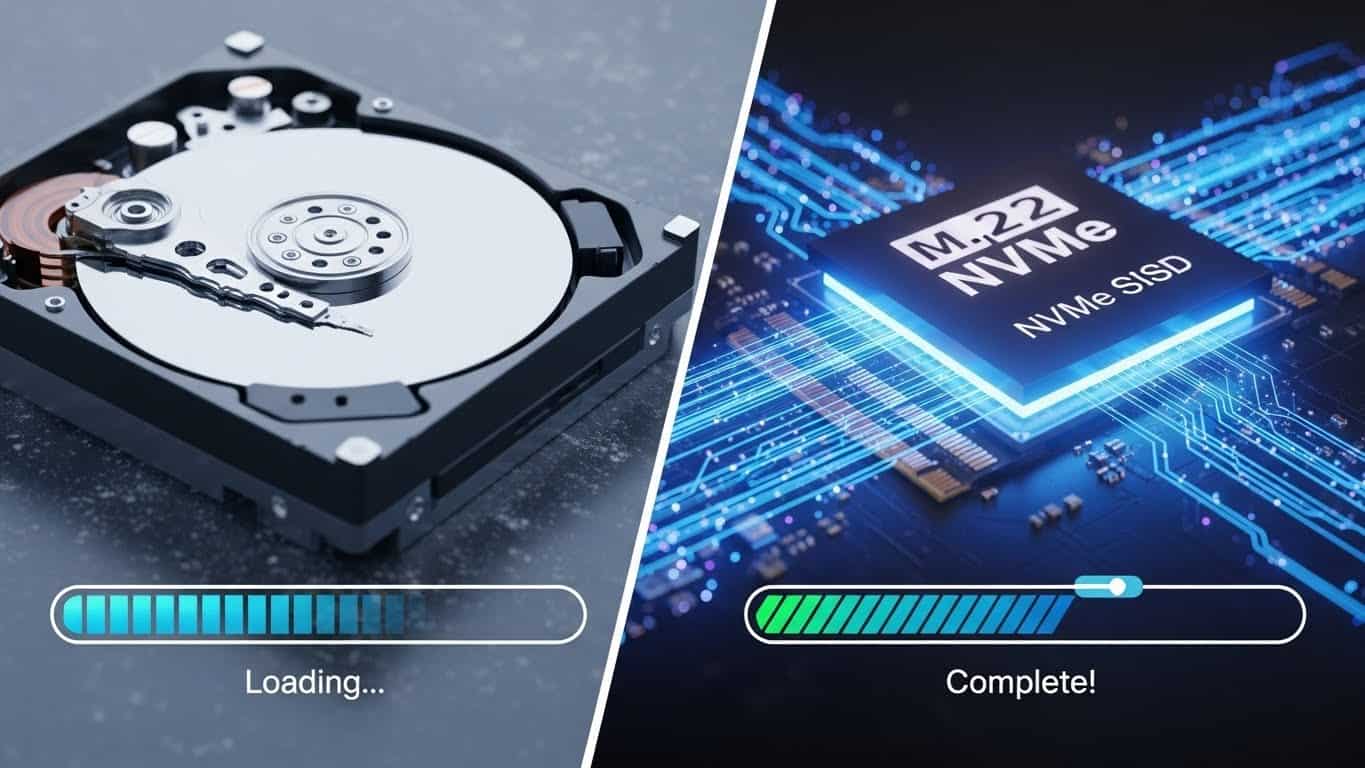
It starts slowly. A few extra seconds to boot up. Then, Chrome takes a moment to open. Eventually, you find yourself staring at a spinning circle while your client waits on the other end of a Zoom call.
For professionals in Sandton and Johannesburg, a slow computer isn’t just annoying—it’s expensive. Time spent waiting for files to load is billable hours lost.
The knee-jerk reaction? “I need a new laptop.” You head to a tech store and drop R15,000 to R20,000 on a mid-range machine. This is often a financial mistake.
Most laptops manufactured in the last 5-7 years have powerful processors (Intel Core i5 or i7) that are still perfectly capable in 2025. The problem isn’t the “brain” of your computer; it’s the “memory” and “storage.” By upgrading these specific parts, we can make your 2019 Dell XPS or HP EliteBook run faster than a brand new 2025 entry-level laptop, for a quarter of the cost.
1. The #1 Speed Killer: The Mechanical Hard Drive (HDD)
If your laptop is more than 4 years old, or if it was a budget model, it likely runs on a Mechanical Hard Disk Drive (HDD). These drives use spinning magnetic platters—technology from the 1950s.
Imagine trying to find a page in a book by flipping through it one page at a time. That is how an HDD works. It is physically slow.
The SSD Revolution
A Solid State Drive (SSD) has no moving parts. It accesses data instantly, like turning on a light switch.
Result: An SSD upgrade can make your laptop up to 20x faster.
2. RAM: The Multitasking Engine
Random Access Memory (RAM) is your computer’s “workspace.” If you have a small desk (4GB RAM), you can only have one paper open at a time. If you have a massive desk (16GB RAM), you can spread out spreadsheets, browser tabs, and Spotify without shuffling papers.
The 2025 Standard:
- 4GB Obsolete. Windows 10/11 barely runs.
- 8GB Minimum. Good for basic Word/Excel.
- 16GB The Sweet Spot. Ideal for professionals with 20+ Chrome tabs.
- 32GB+ Power User. Video editing, CAD, heavy gaming.
3. The Financial Case: Upgrade vs. Replace
Let’s look at the numbers for a standard business professional in Johannesburg.
| Scenario | Cost Estimate | Performance Gain | Verdict |
|---|---|---|---|
| Buying New (Mid-Range) | R12,000 – R18,000 | Moderate (Often has bloatware) | Expensive |
| Buying New (High-End) | R25,000+ | High | Very Expensive |
| Fix My Gadget Upgrade | R2,500 – R4,500 | High (Often faster than mid-range new) | Best ROI |
By upgrading your existing laptop, you save over R10,000—money that can be better spent on your business marketing or savings.
4. “But I Don’t Want to Lose My Programs!” (The Cloning Secret)
The Biggest Myth in Upgrades
Most people buy a new computer because they dread reinstalling Windows, Office, and setting up their email again. They think an upgrade means “starting from scratch.”
At Fix My Gadget, we use Bit-Level Cloning.
We take your old, slow hard drive and create an exact 1:1 digital copy onto the new, super-fast SSD. When you turn on your upgraded laptop, your wallpaper is the same. Your passwords are saved. Your open Word documents are right where you left them.
The only difference? Everything happens instantly. It is the ultimate zero-hassle upgrade.
5. Can MacBooks Be Upgraded?
Apple devices are trickier, but upgrades are possible for many models.
- ✓ MacBook Pro (Pre-2016): SSD can be upgraded up to 2TB. Battery can be refreshed.
- ✓ MacBook Air (Pre-2017): Fully upgradeable storage.
- ⚠️ Newer Macs (2017+ / M1 / M2): Storage and RAM are soldered. However, these machines often slow down due to thermal throttling (dust/dried paste). A “Performance Service” (cleaning & thermal paste renewal) often restores factory speed.
*Not sure about your Mac? Check our MacBook Repair Services.*
6. For the Gamers: Frame Rates & Thermals
If your gaming rig is dropping frames (FPS), it’s rarely the graphics card failing—it’s heat. Gaming laptops like Alienware, ASUS ROG, and MSI run incredibly hot.
We offer a “Gamer’s Revival” package:
-
1Upgrade RAM to 32GB (for modern titles like Warzone/Cyberpunk).
-
2Upgrade storage to NVMe Gen 4 (for instant load times).
-
3Crucial Step: Repaste CPU/GPU with high-performance thermal compound (Thermal Grizzly/Arctic) to stop throttling.
Don’t Tolerate a Slow PC for One More Day
Bring your laptop to our Sandton workshop or book a collection. We will check if your machine is compatible with an SSD/RAM boost and give you a quote instantly.
Fix My Gadget | Performance Upgrades & Data Recovery in Johannesburg.