
Johannesburg repair guide
Laptop Hinge Broken? Why Glue Will Not Fix It
A broken laptop hinge is a structural problem, not just a cosmetic crack. Glue may hide the damage for a short time, but the screen, base and mounting points can keep getting worse.
Repair-service enquiry
Some faults need diagnosis before any part is ordered.
Charging, hinge, fan, keyboard, motherboard and boot faults can look simple from the outside but need testing before buying parts.
Important: If the fault may be board-related, ask Fix My Gadget first before buying a replacement part.
This hinge guide ranks because many customers search after the damage has already started: the screen feels loose, the corner opens, the plastic cracks, or the laptop makes a clicking sound when opened. The temptation is to glue it. That usually makes the repair worse.
A laptop hinge works under repeated mechanical stress. Every time the lid opens, force travels through the hinge mounts into the palmrest, base cover, back cover and screen assembly. If those anchor points break, glue cannot restore the original structure. It may hold for a short time, then fail again under the same load.
Fix My Gadget treats hinge repair as a structural repair. We inspect the hinge, screws, mounts, palmrest, LCD back cover, screen cable and surrounding plastics before quoting. The goal is to prevent screen and cable damage, not only make the laptop look closed again.
laptop hinge repair Johannesburg
Why glue does not fix a broken laptop hinge
Glue is not designed to replace missing screw posts, broken mounts or a torn topcase. The hinge still carries tension every time the lid moves. If the anchor point is broken, the glue becomes the only thing fighting that force. That is why many glued hinges fail again.
The second problem is that glue hides the damage. It can spread into the hinge area, block proper seating, trap broken plastic and make the later repair messier. In some cases, the screen cable gets squeezed or the hinge becomes uneven, causing flickering or no display.
laptop hinge repair Johannesburg
What affects laptop hinge repair cost
Cost depends on what broke. If the hinge screws are loose and the mounts are intact, the repair is simpler. If the palmrest, back cover or internal mounts have broken away, parts or structural rebuilding may be required. Gaming laptops and thin ultrabooks can be more complex because the hinge force is high and plastics are tight.
We quote after inspection because the outside crack does not always show the internal damage. The diagnostic is R350 and waived when the approved repair proceeds.
laptop hinge repair Johannesburg
How to stop hinge damage from returning
Open the laptop from the centre of the lid, not one corner. Avoid forcing a stiff hinge. Do not carry the laptop by the screen. Keep dust and grit away from hinge gaps. If the lid starts clicking or separating, stop using it heavily and book repair early.
After repair, the hinge tension should be smooth and the screen should open evenly. A repaired hinge that is too stiff can recreate the same failure. That is why proper adjustment matters.
Cost and decision factors
What changes the quote or buying decision?
Every device, model and fault has its own context. These factors explain why a proper inspection or buying check matters before spending.
| Scenario | What it usually means | What to check |
|---|---|---|
| Loose hinge only | Screen wobbles but casing intact | May need tightening and tension adjustment. |
| Broken palmrest mounts | Corner lifts or screws pull out | Palmrest/topcase repair or replacement may be needed. |
| Broken back cover | Display side separates or cracks | LCD back cover and bezel may be involved. |
| Hinge plus screen issue | Flicker, lines or black screen | Cable or panel damage must be checked. |
| Gaming laptop hinge | Heavy lid and high tension | Parts and labour may be more involved. |
Workshop judgement
Why a broken laptop hinge needs structural repair
A hinge carries mechanical load every time the lid opens. When screw posts, palmrest mounts or the back cover break, glue alone does not restore that structure and can make later repair more difficult.
The earlier a hinge is repaired, the better the chance of protecting the screen cable, LCD panel and surrounding casing from secondary damage.
Forcing a stuck hinge can crack the screen or tear the cable.
Glue can make the proper repair more difficult and less clean.
Early hinge repair protects the LCD panel and display cable.
One broken side often means the other side is under stress too.
External sources
Helpful references outside Fix My Gadget
These links support better decisions around backup, manufacturer repair context and responsible recycling when a device is not worth repairing.
related repair guides
Related Fix My Gadget guides and services
These links keep the service area structure strong and help customers move from information to the correct repair or buying decision.
FAQ
Questions people ask about Laptop hinge
Glue may hold temporarily, but it does not restore the original screw mounts or structural strength and often fails again.
Yes. Hinge movement can crack the LCD, damage the bezel or tear the display cable.
Sometimes only adjustment or repair is needed. In other cases, the palmrest, back cover or topcase must be replaced.
Use it as little as possible and avoid opening and closing repeatedly because the damage can spread.
The diagnostic is R350 and is waived when the approved repair proceeds.
Yes. Pickup and delivery is available as a paid service quoted upfront.
Helpful next steps
Next pages customers should read
These related repair guides strengthen the right service area and help visitors move from research to the correct repair path.
Repair guidance
Computer repair starts by separating performance, power and data risk.
A slow PC, boot failure, clicking drive, freezing system or overheating computer can have different causes.
The right path may be SSD replacement, RAM upgrade, Windows repair, cooling service, data recovery or motherboard diagnosis. We help you choose the practical option before money is wasted.
- Protect data firstStop using a clicking drive or failing storage device until it is checked.
- Upgrade wiselySSD upgrades usually help old hard-drive systems more than random software fixes.
- Check heatDust, fan failure and thermal issues can cause freezing and shutdowns.
- Repair or upgradeWe compare repair, upgrade and replacement options before work proceeds.
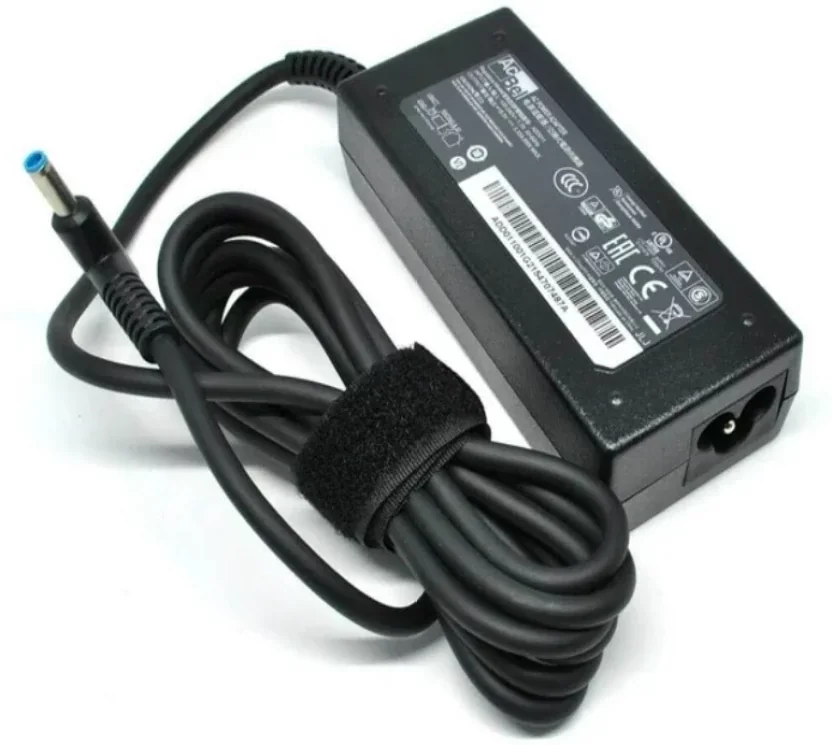
Helpful references
Helpful external resources
These Helpful references can help you understand manufacturer guidance, back up important data, or choose responsible recycling if repair is no longer worth it.
Practical repair guidance
Computer repair starts with data safety and the right diagnostic path.
Slow performance, boot failure, clicking drives, overheating and Windows faults can have different causes. The right path may be SSD replacement, RAM upgrade, cleaning, data recovery or board diagnosis.
We help you choose repair, upgrade or replacement after checking the real fault.
- Data firstStop using a clicking or failing drive.
- SSD upgradeOld hard-drive systems often improve strongly with SSD replacement.
- Cooling checkDust and fan issues can cause shutdowns or freezing.
- Repair decisionWe compare repair, upgrade and replacement options.
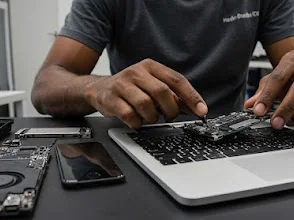
Laptop repair images
Real laptop repair photos from the workshop
Different laptop faults can look similar from the outside. These device photos support the repair process explained on this page: inspect the symptoms, protect the data where possible, then quote the correct repair before replacing parts.
Need help from Fix My Gadget?
Send the model, symptom, photos if possible and your area. We will guide the next step and quote before repair.
Content quality promise
Written to help before it sells.
Fix My Gadget repair guides are written from real workshop patterns: cracked screens, failed batteries, liquid damage, no-power faults, slow laptops, data risk and replacement decisions. The goal is to help you understand the likely repair path before you spend money.
We avoid pretending that every device can be diagnosed online. When a fault needs testing, we say so clearly and invite you to send the model, photos and symptoms before booking.
- We explain symptoms, risks and safe checks in plain language.
- We separate repair advice from product-shopping advice.
- We quote after inspection and do not recommend unnecessary parts.
- We keep Johannesburg location, pickup and diagnostic information visible.
Visit or arrange pickup
Fix My Gadget is based in Kibler Park, Johannesburg South
Workshop drop-off is available by arrangement, and paid pickup/delivery can be quoted upfront for Johannesburg areas. Send your device model, photos of the fault and your area on WhatsApp before coming through.
Laptop screen price help
Need to understand laptop screen repair prices?
Before replacing a cracked, flickering or black laptop display, check the screen type. 15.6-inch 30-pin, 15.6-inch 40-pin, 14-inch, touchscreen, gaming and OLED panels do not cost the same. The price guide explains the difference and points back to the main laptop screen repair service page.