Johannesburg repair guide
Laptop Repairs Johannesburg
Laptop repair in Johannesburg should start with the symptom and the model. Screen, battery, hinge, charging, SSD and no-power faults need different checks before a quote makes sense.

This laptop repairs in Johannesburg page is one of the key service pages for Fix My Gadget because it matches the way customers actually search when a device breaks: they need help near them, they want the laptop checked, they want a quote before repair, and they want to know whether pickup is possible.
Fix My Gadget works from Kibler Park, Johannesburg South, and assists customers across Johannesburg with laptop diagnostics, screen replacement, hinge repair, battery replacement, keyboard faults, overheating, slow performance, charging issues and no-power repairs. The process is simple: inspect, explain, quote, repair after approval.
Pickup and delivery is available as a paid service quoted upfront. The diagnostic is R350 and waived when the approved repair proceeds. This keeps the process clear and avoids vague promises that create confusion later.

laptop repairs Johannesburg
Laptop repairs we handle most often in Johannesburg
The most common laptop jobs include cracked screens, broken hinges, dead batteries, keyboard damage, slow laptops, overheating, fan noise, charging faults, liquid damage and laptops that do not turn on. These faults often overlap. For example, a broken hinge can crack the screen cable, damage the palmrest and make the display flicker.
That is why we do not quote blindly from one symptom only. A laptop that “needs a screen” may actually need hinge work first. A laptop that “needs a battery” may have a charging-port fault. A laptop that “runs slow” may need an SSD upgrade, cleaning or system repair.
laptop repairs Johannesburg
How the diagnostic process protects you
A proper diagnostic checks the visible fault and the hidden cause behind it. For screen faults, we check the panel, cable, hinge movement and external display behaviour. For no-power faults, we check charger, DC jack, battery, board power rails and signs of liquid or surge damage. For slow laptops, we check storage health, RAM pressure, temperature and software load.
The point is to avoid replacing the wrong part. We explain what we find and quote before repair. If the repair is approved, the diagnostic fee is waived. If the repair is declined, the diagnostic covers the time spent testing and opening the machine.
laptop repairs Johannesburg
Pickup and delivery across Johannesburg
Customers often ask for laptop repair near me because they cannot leave work, school or home easily. Pickup and delivery can help, but it must be handled professionally. We quote pickup upfront based on area and availability. The laptop is then booked, assessed and quoted before the repair proceeds.
This is especially useful for businesses with multiple devices, students without transport, and customers dealing with heavy laptops or cracked screens. The service is not described as free because that creates wrong expectations. It is a paid convenience service quoted before collection.
laptop repairs Johannesburg
When repair beats replacement
Repair usually beats replacement when the laptop is structurally solid and the fault is isolated: one screen, one battery, one keyboard, one SSD, one hinge set, one charging port or one cooling issue. It becomes more complicated when the laptop has many faults at the same time.
Our job is to help you make the right decision. Sometimes the best answer is screen replacement. Sometimes it is SSD upgrade. Sometimes it is board repair. Sometimes an old machine should be recycled and replaced. A clear quote lets you decide without pressure.
Cost and decision factors
What changes the quote or buying decision?
Every device, model and fault has its own context. These factors explain why a proper inspection or buying check matters before spending.
| Scenario | What it usually means | What to check |
|---|---|---|
| Screen repair | Cracked panel, flicker, lines, black display | Panel type, size, resolution and hinge condition. |
| Hinge repair | Loose screen, broken corner, stiff hinge | Palmrest, back cover and screen cable damage. |
| Battery replacement | Fast drain, swelling, shutdowns | Exact model, battery type and charging health. |
| Slow laptop fix | Long boot, freezing, high disk usage | SSD, RAM, software and cooling condition. |
| No power repair | Dead laptop or intermittent start | Charger, DC jack, board and liquid/surge signs. |

Workshop judgement
How Fix My Gadget thinks about this page
The best content is useful before it sells. We want you to understand the fault, buying risk or repair economics before approving anything. That is why this page explains the symptoms, decision points and related guides instead of only saying “contact us”.
When the device is worth repairing, we quote clearly. When replacement or recycling is smarter, we say so. When upgrade is better than buying new, we explain that too.
Kibler Park base with paid pickup and delivery quoted upfront.
No repair proceeds until the issue and quote are explained.
HP, Dell, Lenovo, Asus, Acer, MSI, Huawei and more.
Suitable for single customers and small business laptop fleets.
External sources
Helpful references outside Fix My Gadget
These links support better decisions around backup, manufacturer repair context and responsible recycling when a device is not worth repairing.
related repair guides
Related Fix My Gadget guides and services
These links keep the service area structure strong and help customers move from information to the correct repair or buying decision.
FAQ
Questions people ask about Laptop repairs JHB
Yes. Fix My Gadget is based in Kibler Park and assists customers across Johannesburg and Johannesburg South.
Yes. Pickup and delivery is available as a paid service quoted upfront.
The diagnostic is R350 and is waived when the approved repair proceeds.
We commonly work on HP, Dell, Lenovo, Asus, Acer, MSI, Huawei and other Windows laptops.
Yes. We test charger, battery, charging port, motherboard power path and liquid or surge damage.
It depends on the laptop value, condition and repair cost. We quote first so you can compare repair against replacement.
Helpful next steps
Next pages customers should read
These related repair guides strengthen the right service area and help visitors move from research to the correct repair path.
Repair guidance
Computer repair starts by separating performance, power and data risk.
A slow PC, boot failure, clicking drive, freezing system or overheating computer can have different causes.
The right path may be SSD replacement, RAM upgrade, Windows repair, cooling service, data recovery or motherboard diagnosis. We help you choose the practical option before money is wasted.
- Protect data firstStop using a clicking drive or failing storage device until it is checked.
- Upgrade wiselySSD upgrades usually help old hard-drive systems more than random software fixes.
- Check heatDust, fan failure and thermal issues can cause freezing and shutdowns.
- Repair or upgradeWe compare repair, upgrade and replacement options before work proceeds.

Helpful references
Helpful external resources
These Helpful references can help you understand manufacturer guidance, back up important data, or choose responsible recycling if repair is no longer worth it.
Laptop repair images
Real laptop repair photos from the workshop
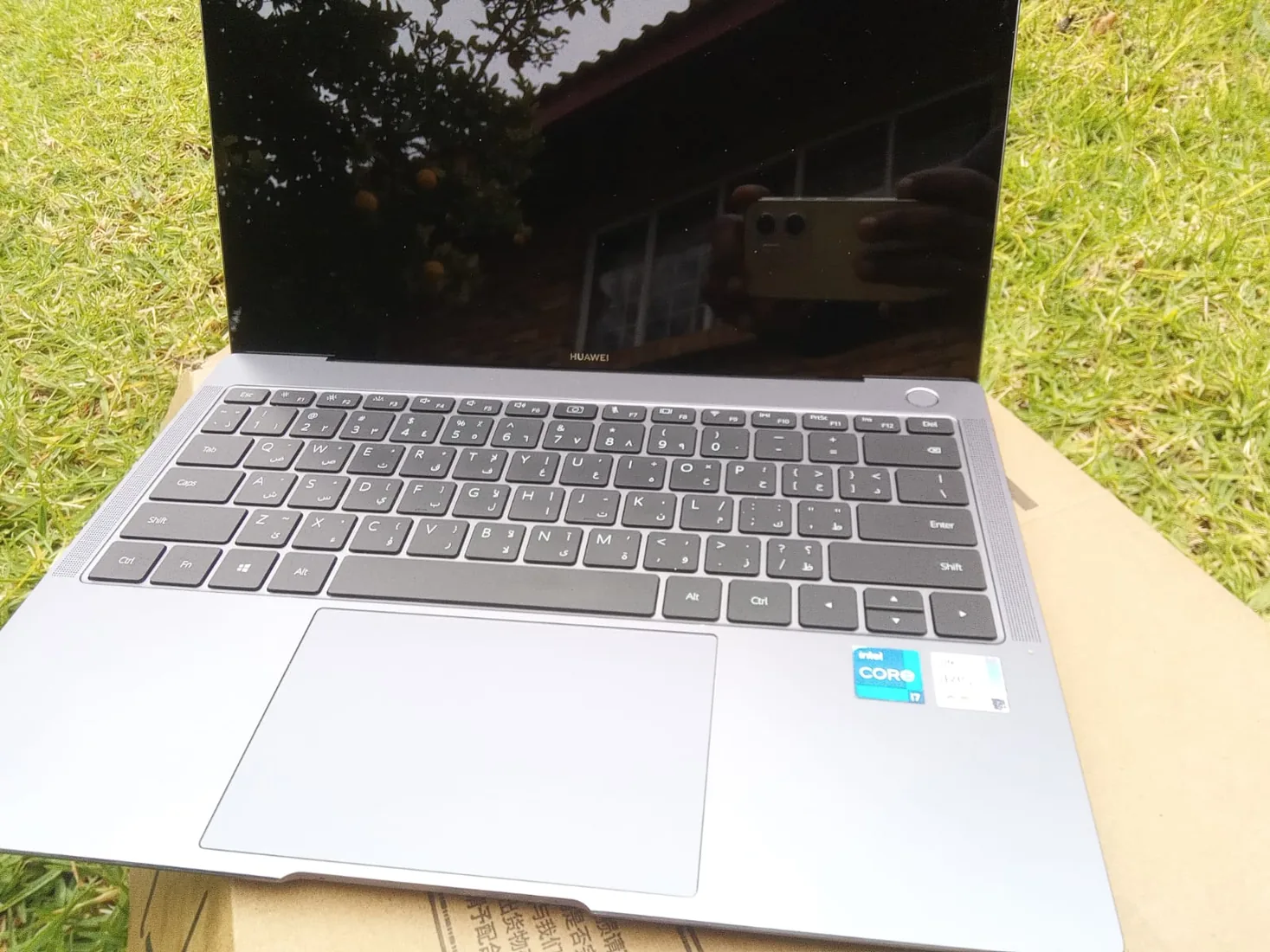
Different laptop faults can look similar from the outside. These device photos support the repair process explained on this page: inspect the symptoms, protect the data where possible, then quote the correct repair before replacing parts.


Need help from Fix My Gadget?
Send the model, symptom, photos if possible and your area. We will guide the next step and quote before repair.
Content quality promise
Written to help before it sells.
Fix My Gadget repair guides are written from real workshop patterns: cracked screens, failed batteries, liquid damage, no-power faults, slow laptops, data risk and replacement decisions. The goal is to help you understand the likely repair path before you spend money.
We avoid pretending that every device can be diagnosed online. When a fault needs testing, we say so clearly and invite you to send the model, photos and symptoms before booking.
- We explain symptoms, risks and safe checks in plain language.
- We separate repair advice from product-shopping advice.
- We quote after inspection and do not recommend unnecessary parts.
- We keep Johannesburg location, pickup and diagnostic information visible.
Visit or arrange pickup
Fix My Gadget is based in Kibler Park, Johannesburg South
Workshop drop-off is available by arrangement, and paid pickup/delivery can be quoted upfront for Johannesburg areas. Send your device model, photos of the fault and your area on WhatsApp before coming through.