Laptop repair cost guide · Johannesburg
Laptop charging port repair cost in South Africa: USB-C, DC jack and safe diagnosis.
When a laptop only charges at an angle, stops detecting the charger or keeps switching between charging and not charging, the fault may be the charger, battery, charging port, DC jack, USB-C board or motherboard power circuit. This guide explains the safest way to think about cost before you spend money on the wrong part.
Quick answer
How much does laptop charging port repair cost?
There is no honest single price for every laptop charging port repair because the port design changes by brand and model. Some laptops use a replaceable DC jack or cable. Some use a USB-C daughterboard. Some have the charging connector soldered directly to the motherboard. Some look like a port problem but are actually battery, charger, BIOS or power-circuit faults.
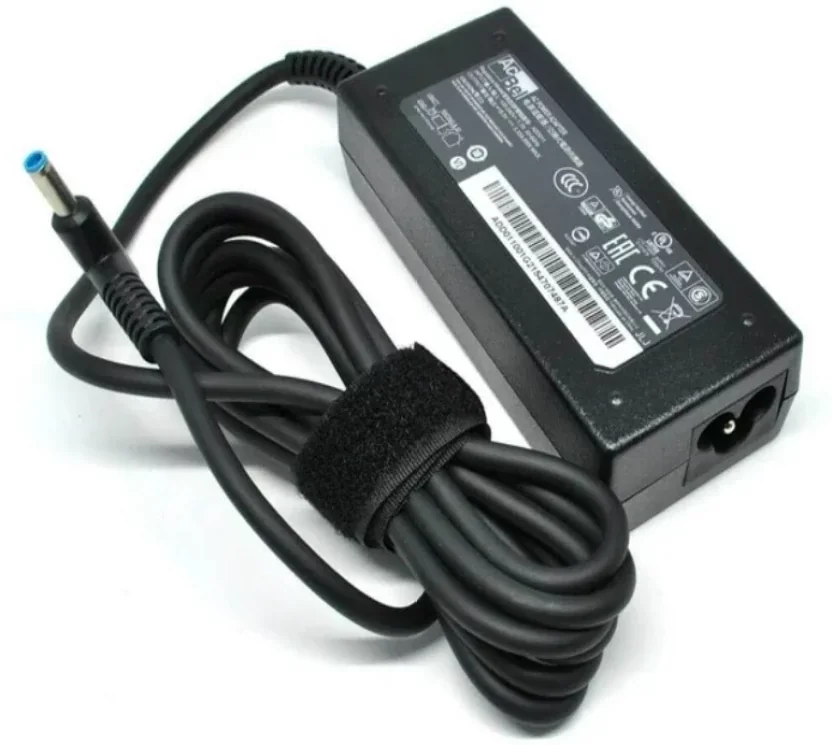
For Fix My Gadget customers in Johannesburg, the safest first step is to send the laptop model, a photo of the charger tip, a photo of the charging port and a short video showing what happens when you plug it in. We can then advise whether it sounds like a charger issue, port issue, battery issue or a fault that needs workshop testing.
Cost factors
What changes the price of a charging repair?
The cost depends on the physical port type, how the port is mounted, part availability and whether the motherboard has already been damaged.
Replaceable DC jack
Some HP, Dell, Lenovo and Acer models use a removable charging jack cable. When available, this is usually cleaner than board-level soldering because the faulty jack can be replaced as a unit.
USB-C charging board
Many modern laptops charge through USB-C. Some USB-C ports sit on a small daughterboard; others are soldered directly to the motherboard. That design difference changes the repair route.
Motherboard power fault
If the charger, port and battery test fine but the laptop still will not charge, the issue may be on the charging circuit. That needs board-level diagnosis, not guesswork.
Symptoms
Signs your laptop may have a charging port problem
These symptoms do not prove the port is faulty, but they tell us what to inspect first.
| Symptom | Possible cause | Safe next step |
|---|---|---|
| Charges only when cable is held at an angle | Loose DC jack, broken internal pin, worn charger tip or cracked solder joint | Stop forcing the charger and send photos of the port and charger. |
| USB-C charger connects and disconnects repeatedly | Dirty USB-C port, damaged connector, weak charger, firmware or charging board fault | Try a known-good charger if safe, then book diagnosis. |
| Laptop says plugged in but not charging | Battery, charger, port, BIOS or power-management fault | Do not buy a battery before testing the charging path. |
| Burnt smell, heat near charging port or sparks | Short, liquid damage or board-level power fault | Stop using the laptop immediately and ask for workshop advice. |
Repair or replace?
Do you need a charger, a port repair, a battery or a motherboard repair?
Many customers buy a new charger first, then a new battery, and only later discover the real problem was the charging port or motherboard. That becomes expensive because each wrong part delays the real repair. The better approach is to separate the power path: charger output, port condition, battery health, motherboard charging circuit and software/BIOS behaviour.
If the laptop is still valuable and the fault is isolated, charging port repair can be far more sensible than replacing the laptop. If the board has heavy liquid damage or the repair cost approaches replacement value, we will explain the repair economics before work proceeds.
Shop connection
Need a charger, battery, SSD or installation with the repair?
The Fix My Gadget shop is built around repair-commerce, so customers can check common parts and still confirm compatibility before payment. Charging problems often overlap with batteries, chargers, SSD upgrades and data backup decisions.
Before booking
What to send on WhatsApp for faster advice
- Laptop modelSend the model from the bottom cover or BIOS label if visible.
- Charger photoShow the charger label and connector tip so we can see wattage and type.
- Port photoTake a clear photo of the charging port from the side.
- Short videoShow whether the charge light comes on, flickers or only works at an angle.
FAQ
Laptop charging port repair questions
It is better to stop forcing the charger. A loose port can damage the connector, charger tip or motherboard pads.
No. Similar symptoms can come from the charger, battery, BIOS, USB-C board or motherboard charging circuit.
Yes, where parts are available. We confirm the exact model before ordering or fitting parts.
Yes. The diagnostic is R400 and is waived when the approved repair proceeds.
Need charging repair advice?
Send the model, charger photo and port photo.
We will advise whether the next step is charger check, port replacement, battery testing or motherboard diagnosis.
Johannesburg repair context
Why charging faults are common on working laptops
Laptops in Johannesburg move between home, school, office, client meetings and vehicles almost every day. The charger gets pulled out quickly, the cable bends near the connector, the port takes pressure inside bags, and load-shedding often means devices are plugged and unplugged more than usual. Over time, that stress can weaken a charging socket even if the laptop still looks clean from the outside.
Modern laptops also make the repair decision more technical. A barrel-style DC jack may be a separate replaceable part, while USB-C charging can share the port with data, display output and power delivery. That is why one laptop may need a simple jack replacement while another needs careful board inspection. Guessing from the outside can lead to unnecessary chargers, batteries or parts.
The customer-friendly repair path is to confirm the model first, inspect the power input physically, test with safe known-good equipment, and only then decide whether the part should be replaced. This protects the customer from paying for the wrong repair and helps the technician avoid unnecessary board work.
Data and safety
What happens to your files during a charging repair?
Most charging port repairs do not require access to personal files. The work is usually on the power input side of the laptop, not inside documents, photos or accounts. If testing requires the laptop to boot, we recommend using a guest profile or staying available to enter passwords yourself where possible.
If the laptop does not power on and the files are important, tell us before repair starts. A no-power laptop with charging issues can sometimes also have storage risk, especially after liquid damage or electrical shorting. In that case, the repair decision should include data protection before repeated power attempts.
For business customers, charging faults should be treated early because one laptop can hold invoices, schoolwork, client files, accounting records and email access. A small port fault becomes a bigger business problem when the device dies completely during a deadline.
Final advice
Do not buy parts blindly before confirming compatibility
Two laptops can look similar but use different charging ports, wattages, batteries and internal cable layouts. Even within the same brand, the port can change between generations. Before buying a charger, battery or charging-port part, confirm the model number and the exact symptom.
Fix My Gadget can help you decide whether the smarter move is repair, charger replacement, battery replacement, SSD upgrade while the laptop is open, or replacement with a refurbished laptop if repair is no longer economical.
Visit or arrange pickup
Fix My Gadget is based in Kibler Park, Johannesburg South
Workshop drop-off is available by arrangement, and paid pickup/delivery can be quoted upfront for Johannesburg areas. Send your device model, photos of the fault and your area on WhatsApp before coming through.