
Johannesburg repair guide
Gaming Laptops Under R20,000 in South Africa: 2026 Repair-Aware Guide
Gaming laptops under R20,000 must be judged by more than graphics performance. Cooling, SSD capacity, RAM, screen quality and repairability affect the real cost of ownership.
Buying, repairing and upgrading
Before buying new, compare repair, upgrade and refurbished options.
Some laptops are worth replacing. Others only need an SSD, RAM, battery or screen repair. Use the shop to check practical options, then confirm availability before payment.
Important: Repair, upgrade or replace — we can help you choose the practical route.
Gaming laptops under R20,000 attract huge interest because they promise power for gaming, engineering, IT, content creation and school work. But gaming laptops are not ordinary laptops. They run hotter, use stronger chargers, stress batteries harder and place more pressure on hinges and cooling systems.
At Fix My Gadget, we repair the consequences of bad buying decisions: overheating, noisy fans, dead GPUs, swollen batteries, broken hinges, cracked screens and machines slowed down by dust and old thermal paste. That experience gives this guide a practical angle.
A good gaming laptop under R20,000 should have balanced CPU/GPU power, healthy cooling, serviceable storage, enough RAM, a strong charger and a body that can survive daily use.
On this page
gaming laptops under R20000 South Africa
Specs that matter in a sub-R20,000 gaming laptop
Look for a modern Ryzen 5/Ryzen 7 or Intel i5/i7, dedicated Nvidia RTX graphics where possible, 16GB RAM if budget allows, and SSD storage. A 512GB SSD is the minimum comfortable target because games, design software and updates consume space quickly.
Do not judge only by GPU name. A laptop with a stronger GPU but poor cooling may perform worse than a balanced machine with better thermals.
gaming laptops under R20000 South Africa
Cooling is the hidden buying factor
Gaming laptops create heat. Dust, old thermal paste, blocked vents and weak fans cause throttling, shutdowns and long-term component stress. In Johannesburg, dust and heat make cleaning more important.
Before buying used, listen to the fans, check temperature under load, inspect vents and ask whether the laptop has been cleaned. After buying, plan maintenance instead of waiting for overheating symptoms.
gaming laptops under R20000 South Africa
Buying a used gaming laptop safely
Used gaming laptops can be good value, but test thoroughly. Check charger wattage, battery swelling, hinge cracks, keyboard, display, GPU performance, fan noise and whether the laptop crashes under load. Avoid machines with missing chargers, stripped screws, BIOS locks or unexplained shutdowns.
A gaming laptop that only works well for five minutes before overheating is not a bargain. Test long enough to reveal heat behaviour.
gaming laptops under R20000 South Africa
Common gaming laptop repair risks
Common repairs include fan replacement, cleaning, repaste, battery replacement, screen repair, keyboard replacement, hinge repair and board-level power faults. GPU or motherboard failure can be expensive, so prevention matters.
The smartest gaming laptop owner budgets for cooling maintenance, careful transport and a strong surge-protected power routine.
Cost and decision factors
What changes the quote or buying decision?
Every device, model and fault has its own context. These factors explain why a proper inspection or buying check matters before spending.
| Scenario | What it usually means | What to check |
|---|---|---|
| RTX gaming laptop | Best performance target | Check wattage, thermals and charger. |
| GTX older gaming laptop | Budget option | May run hot and have older battery. |
| Used gaming laptop | Can be strong value | Stress test before buying. |
| Gaming laptop overheating | Common repair issue | Cleaning, fans and thermal paste matter. |
| Broken gaming hinge | Heavy lids stress hinges | Inspect corners before buying. |
Workshop judgement
How Fix My Gadget thinks about this page
The best content is useful before it sells. We want you to understand the fault, buying risk or repair economics before approving anything. That is why this page explains the symptoms, decision points and related guides instead of only saying “contact us”.
When the device is worth repairing, we quote clearly. When replacement or recycling is smarter, we say so. When upgrade is better than buying new, we explain that too.
Performance dies when cooling fails.
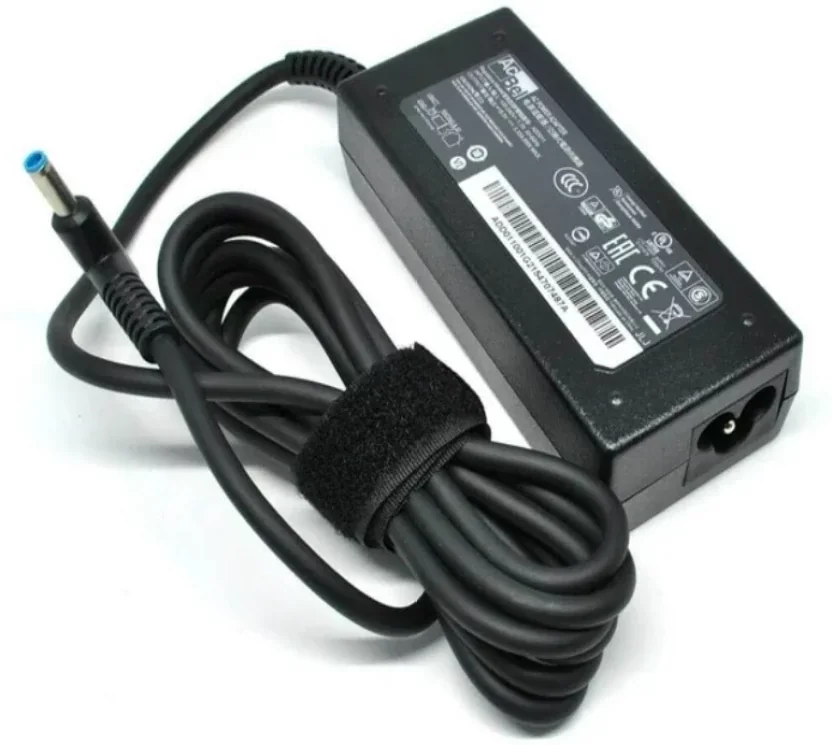
Wrong wattage causes performance and charging issues.
A short boot test is not enough.
Gaming laptops need cleaning and thermal care.
External sources
Helpful references outside Fix My Gadget
These links support better decisions around backup, manufacturer repair context and responsible recycling when a device is not worth repairing.
related repair guides
Related Fix My Gadget guides and services
These links keep the service area structure strong and help customers move from information to the correct repair or buying decision.
FAQ
Questions people ask about Gaming under R20000
The best choice balances GPU, CPU, cooling, RAM, SSD storage and build quality rather than chasing one spec.
It can be, but only after testing heat, charger, battery, hinge, keyboard and GPU stability.
Dust, dried thermal paste, blocked vents, weak fans and high-performance parts all contribute.
Yes. We inspect overheating, fan noise and performance issues and quote after diagnosis.
Only if your course or use case needs graphics power. Otherwise a lighter laptop may be better.
The diagnostic is R400 and is waived when the approved repair proceeds.
Helpful next steps
Next pages customers should read
These related repair guides strengthen the right service area and help visitors move from research to the correct repair path.
What customers usually need to know
Gaming laptops South Africa: What customers are trying to understand
Customers usually arrive here because they are comparing symptoms, repair costs, nearby help or model-specific advice. The goal is to explain the issue in plain language, show what can be checked safely, and guide you toward the repair, upgrade or buying decision that makes sense.
Gaming laptop content should convert later into repairs: cooling service, fan noise, SSD/RAM upgrades, charging-port repair and screen replacement.
- Best budget gaming laptops South AfricaExplain GPU, CPU, RAM, SSD, cooling and screen refresh rate without hype.
- Gaming laptopCover overheating, thermal paste, fan noise and battery expectations.
- Gaming laptops under R20000Help users avoid weak GPUs and poor cooling designs.
- Engineering student intentConnect gaming laptops to engineering, coding and graphics workloads.
- RepairabilityLink to cooling, SSD/RAM, screen and charging repairs.
Helpful references
Helpful external resources
These Helpful references can help you understand manufacturer guidance, back up important data, or choose responsible recycling if repair is no longer worth it.
Practical repair guidance
Computer repair starts with data safety and the right diagnostic path.
Slow performance, boot failure, clicking drives, overheating and Windows faults can have different causes. The right path may be SSD replacement, RAM upgrade, cleaning, data recovery or board diagnosis.
We help you choose repair, upgrade or replacement after checking the real fault.
- Data firstStop using a clicking or failing drive.
- SSD upgradeOld hard-drive systems often improve strongly with SSD replacement.
- Cooling checkDust and fan issues can cause shutdowns or freezing.
- Repair decisionWe compare repair, upgrade and replacement options.
Buying guide images
Laptop buying and repair decision photos
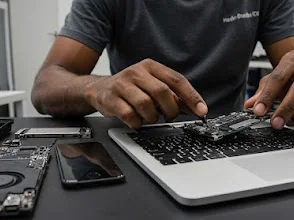
A buying guide is stronger when it connects the purchase decision to real-world repair risk. Build quality, hinge strength, keyboard condition, battery health and screen reliability all matter after the laptop leaves the shop.
Need help from Fix My Gadget?
Send the model, symptom, photos if possible and your area. We will guide the next step and quote before repair.
Content quality promise
Written to help before it sells.
Fix My Gadget repair guides are written from real workshop patterns: cracked screens, failed batteries, liquid damage, no-power faults, slow laptops, data risk and replacement decisions. The goal is to help you understand the likely repair path before you spend money.
We avoid pretending that every device can be diagnosed online. When a fault needs testing, we say so clearly and invite you to send the model, photos and symptoms before booking.
- We explain symptoms, risks and safe checks in plain language.
- We separate repair advice from product-shopping advice.
- We quote after inspection and do not recommend unnecessary parts.
- We keep Johannesburg location, pickup and diagnostic information visible.
Visit or arrange pickup
Fix My Gadget is based in Kibler Park, Johannesburg South
Workshop drop-off is available by arrangement, and paid pickup/delivery can be quoted upfront for Johannesburg areas. Send your device model, photos of the fault and your area on WhatsApp before coming through.