
Fix My Gadget · Johannesburg
Protect Your iPhone
A practical repair guide from Fix My Gadget with clear diagnostics, honest quote-first repair advice and Johannesburg service context.
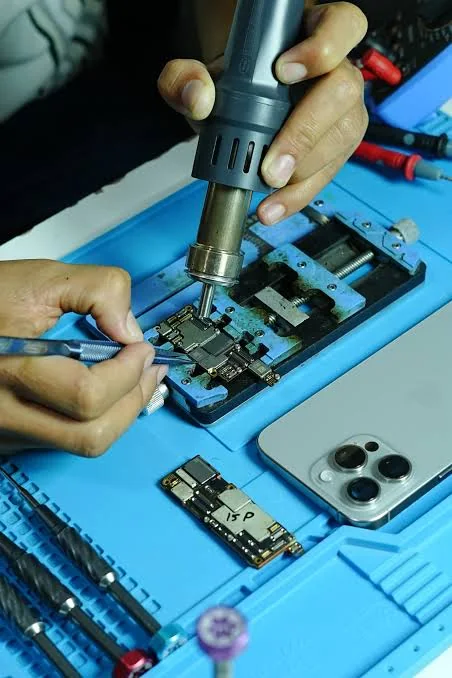
Protect Your iPhone must be checked carefully because modern iPhones combine screen, battery, Face ID, cameras, charging, water indicators and board-level protection in one compact device. A cheap quick repair can create touch issues, weak brightness, battery drain or sensor problems later.
Fix My Gadget handles iPhone screen, battery, charging and water-damage cases with upfront quoting and practical advice on whether repair still makes financial sense.
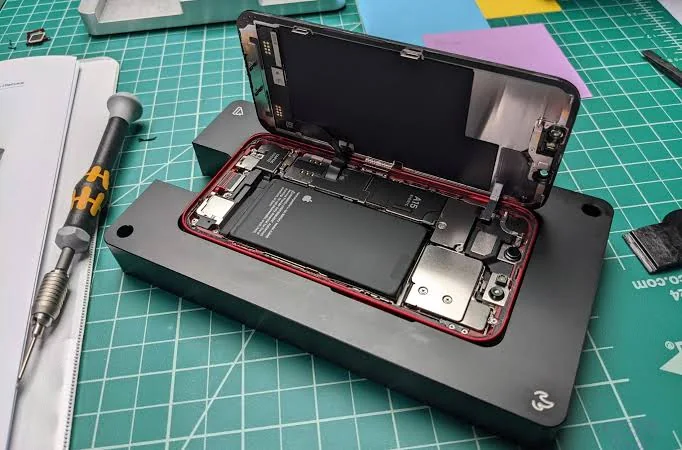
Diagnostic framework
How we diagnose Protect Your iPhone before quoting
Good repair work is not guessing. These are the checks that protect you from buying the wrong part.
- Symptom isolationWe separate visible symptoms from the underlying cause before quoting.
- Model and part checkExact model number protects you from wrong parts and delays.
- Data-risk checkWe identify when a repair may affect data so you can decide safely.
- Repair economicsWe tell you when repair is sensible and when replacement is the smarter move.
Repair cost guide
Typical Protect Your iPhone pricing factors
These ranges are not blind promises. They are a guide to help you understand what normally changes the final quote.
| Repair / situation | Typical range | What affects the quote |
|---|---|---|
| iPhone diagnostic | R350 | Waived when approved repair proceeds |
| iPhone screen replacement | From R700+ | Model and screen quality |
| iPhone battery replacement | From R400+ | Model and battery availability |
| Water damage inspection | Quoted after opening | Corrosion severity changes the quote |
| Boot-loop / no power | Quoted after test | Battery, board, storage or software may be involved |
Repair or replace?
When repair makes sense
Repair is usually sensible when the device is still fast enough for your work, the fault is isolated, and the repair cost is far below the cost of replacing the machine. A screen, battery, keyboard, hinge, charging-port, SSD or cooling repair can extend the life of a good device without forcing you into a new purchase.
Replacement becomes smarter when the board is severely damaged, multiple major parts have failed, the device is very old, or the repair cost approaches the value of a better replacement. We will tell you directly when repair is not the best move.
Johannesburg context
Why local repair knowledge matters
Johannesburg devices deal with heat, dust, power surges, constant travel between home and office, and rough daily handling. Those conditions affect fans, batteries, screens, SSDs, hinges and charging circuits. A local technician who sees these patterns daily can diagnose faster and quote more accurately.
Dust builds up inside fans and heatsinks, increasing heat and noise.
Power interruptions and bad adapters can expose charging and board faults.
Laptops moved daily suffer hinge, screen and charging-port damage faster.
Related repair pages
Related guides in this repair service area
These pages help you move to the repair topic that best matches the device fault.
FAQ
Questions people ask before booking
The price depends on the exact model, the part quality and what the diagnostic confirms. The diagnostic fee is R350 and it is waived when you proceed with the approved repair.
Yes. Pickup and delivery is available across Johannesburg as a paid service. The cost is quoted upfront before collection.
No. We inspect the device, explain the fault and send a quote first. Repair only proceeds after you approve it.
For most hardware repairs we do not need to access your personal files. If login is needed for testing, we recommend a temporary guest profile where possible.
Fix My Gadget provides a 3-month warranty on most part replacements such as screen, battery, keyboard and similar parts. Warranty terms depend on the repair type.
We are based at 32 Murray Rd, Kibler Park, Johannesburg South, Gauteng, South Africa. You can arrange workshop drop-off or paid pickup and delivery across Johannesburg.
Helpful repair guidance
What to understand before choosing protect your iphone
Many iPhone problems feel urgent because the phone carries banking apps, school messages, work calls, photos and daily communication. A cracked screen, weak battery, charging issue or water exposure can look like a small problem at first, but it can become worse if the device keeps being charged, dropped or used while parts are loose.
Before repair, the safest step is to separate the symptom from the cause. A battery warning may point to battery wear, but sudden shutdowns can also involve charging circuits or board-level faults. A cracked screen may still respond to touch today but can fail later if the OLED/LCD or flex is damaged.
At Fix My Gadget, the practical approach is simple: identify the real fault, explain the options, quote before repair, and only proceed after approval. The diagnostic fee is R350 and is waived when the approved repair proceeds. Pickup and delivery is available as a paid service quoted upfront.
Safe first checks
What you can check without making the fault worse
These checks are safe for most customers. Do not open the device, force connectors, keep charging after liquid exposure, or continue using a machine that is overheating, swelling, sparking or smelling burnt.
- Write down the exact symptomWhen did it start, does it happen every time, and did the device fall, get wet, overheat or receive a power surge?
- Confirm the model numberRepair quotes depend heavily on model, screen type, battery type, board generation and part availability.
- Protect your dataIf the device still starts, back up important files before repair. If it does not start, avoid repeated power attempts that can make recovery harder.
- Stop using unsafe devicesIf the battery is swollen, the screen is lifting, liquid entered the device or the laptop gets extremely hot, stop using it and ask for advice.
Repair decision table
How we decide the right repair path
| What we check | Why it matters | Possible next step |
|---|---|---|
| Visible damage | Cracks, liquid marks, broken hinges or loose ports can point to the fault area. | Part replacement, cleaning, structural repair or board inspection. |
| Power and charging behaviour | No power, random shutdowns or charging only at an angle can involve more than one component. | Battery, charger, port, power circuit or motherboard diagnosis. |
| Display and performance symptoms | Lines, flicker, freezing and slow startup can come from screen, storage, RAM, heat or board faults. | Screen test, external display test, SSD/RAM test or cooling service. |
| Repair economics | Some repairs are excellent value; others may not make sense on an old or badly damaged device. | Repair, upgrade, data recovery, replacement advice or recycling. |
Related help
Next pages that may help you
Use these guides to move from the symptom you see to the repair or buying decision that matches your device.
Book the inspection
Need help with Protect Your iPhone?
Send the model number, a photo of the fault and your area. We will advise on the next step and quote pickup if needed.
Content quality promise
Written to help before it sells.
Fix My Gadget repair guides are written from real workshop patterns: cracked screens, failed batteries, liquid damage, no-power faults, slow laptops, data risk and replacement decisions. The goal is to help you understand the likely repair path before you spend money.
We avoid pretending that every device can be diagnosed online. When a fault needs testing, we say so clearly and invite you to send the model, photos and symptoms before booking.
- We explain symptoms, risks and safe checks in plain language.
- We separate repair advice from product-shopping advice.
- We quote after inspection and do not recommend unnecessary parts.
- We keep Johannesburg location, pickup and diagnostic information visible.
Visit or arrange pickup
Fix My Gadget is based in Kibler Park, Johannesburg South
Workshop drop-off is available by arrangement, and paid pickup/delivery can be quoted upfront for Johannesburg areas. Send your device model, photos of the fault and your area on WhatsApp before coming through.